Exploration · 2026 · Design and code
Glup: a hydration app, from Figma to iPhone with Claude Code
I designed Glup in Figma and built it with Claude Code, one feature per session. I don’t type every line, but every decision goes through me: what gets built, how it’s checked and what stays.
01
Logging a glass should be faster than forgetting to
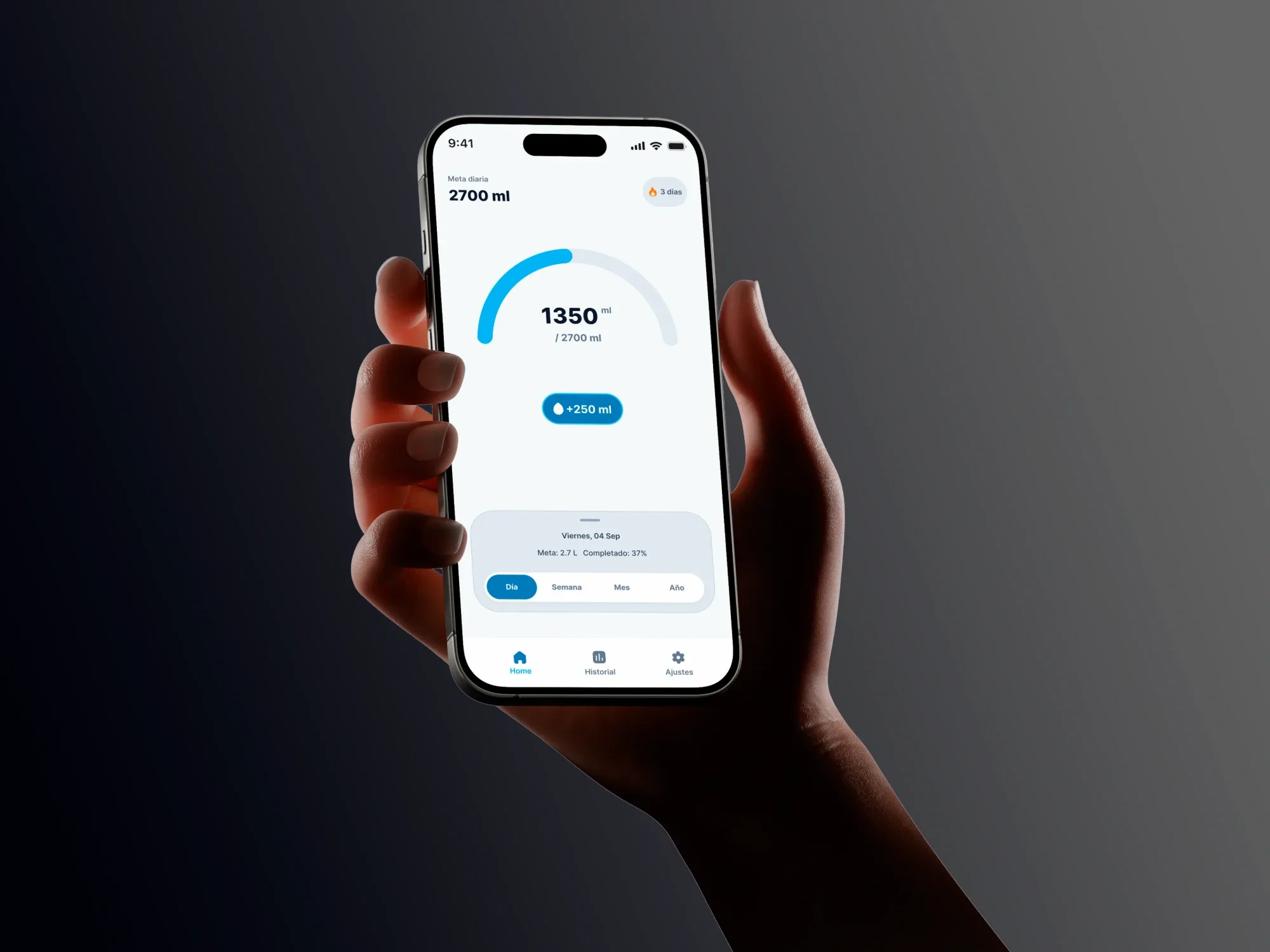
Glup keeps you company through the day: a four-step onboarding works out your goal, one button logs each 250 ml glass, and reminders are spread across your own hours. There are three tabs: Home, History and Settings.
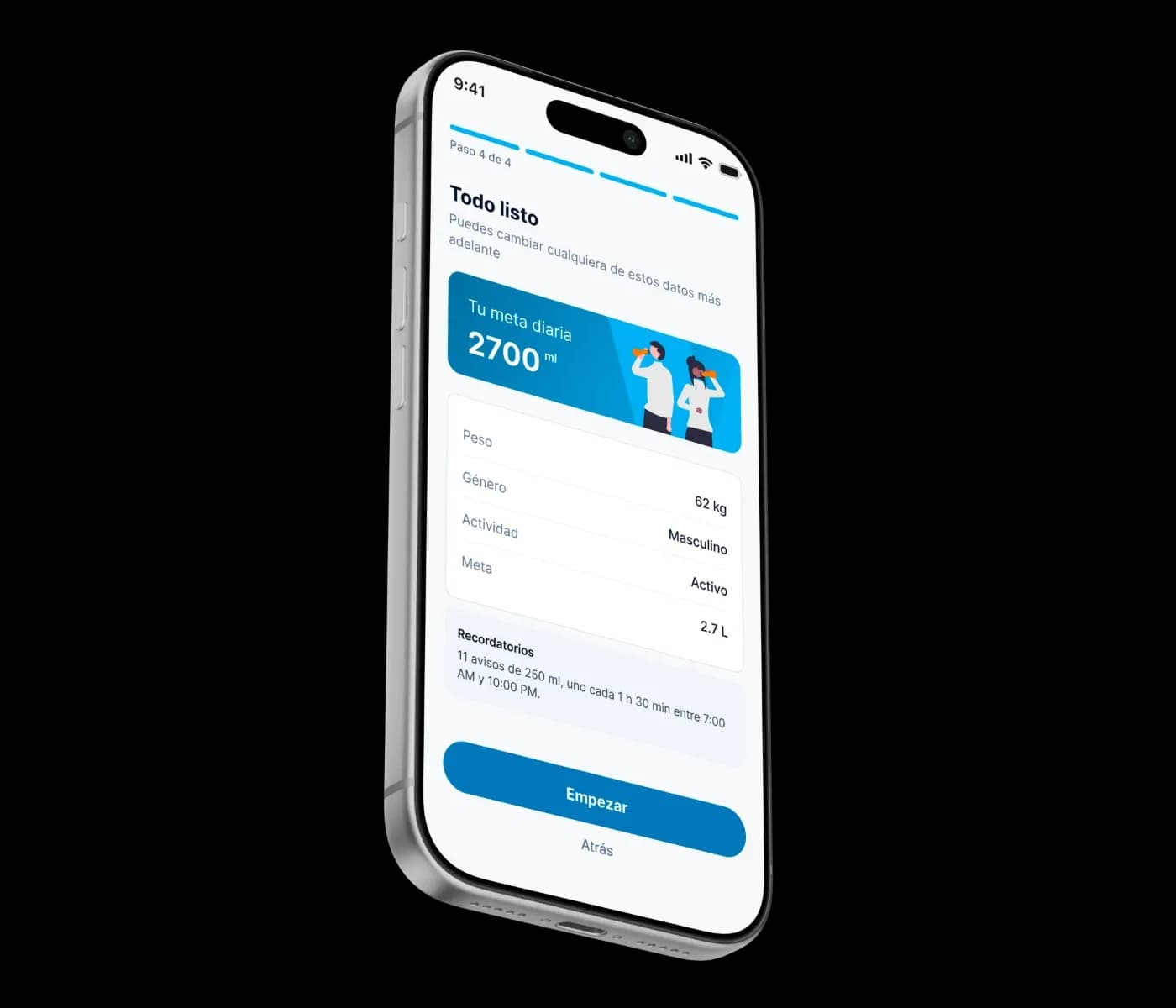
The last onboarding step sums it all up before you start: your goal, the inputs behind it, and how it spreads across your day. With 2.7 liters and active hours from 7 am to 10 pm, that’s 11 reminders of 250 ml, one every hour and a half. The goal stops being an abstract number and becomes a plan.
02
Before any code, audit the Figma file
The first session didn’t touch code. Claude read the file through the Figma MCP and came back with a list of findings. Plenty of them were mistakes I’d stopped seeing after staring at the screens for so long.
- The Settings screen was called "Onboarding 4 - Confirmation", the same as another screen.
- The Home header said "2000 ml" while the ring right below it said "/ 2700 ml".
- The data rows were loose copies all named "wake up", including the "Sleep" one.
- Inter, Montserrat and SF Pro were mixed together, and so were two forms of Spanish address.
- Some blues were raw hex values with no token, and "color/primary" pointed to a blue no screen actually used.
- Text layers with no style before the audit
- 146/172
- App colors without a token after
- 0
- Typeface: everything in Inter
- 1
03
One feature per session
The work was split into nine phases, from the audit to testing on the iPhone, with one prompt per feature. Every prompt has the same shape: where we are, a single task, the Figma node to follow, what it must not touch, and how it proves it’s done.
- Color, radius and type tokens come from the Figma variables. When the code needed one that didn’t exist yet (aqua/800 for the pressed button, radius/xs), it was created in Figma too.
- The ten components were built one at a time in a gallery, each linked to its node, and compared with the design before going into any screen.
- For screens, Claude first returned a plan without editing anything. I corrected it, and only then was the code written.
- The project’s CLAUDE.md sets the rules for every session: Inter only, no loose values, 44 pt minimum touch targets, respect "Reduce Motion", and no new dependencies without asking.
04
Logic, with tests
The goal, the streak and the reminders are pure functions with their own check script. I set the rules in Figma and in the plan, before any of the logic was written.
- Goal: 35 ml per kilo plus an activity bonus, between 1 and 4 liters, rounded to 100 ml. Without the rounding you’d get 2670 ml in one place and 2.7 L in another.
- Reminders: one per 250 ml glass, spread evenly between waking up and going to sleep, even when the schedule crosses midnight.
- Streak: consecutive days with the goal met. Today only counts once it’s met, so the streak never breaks mid-morning.
- Logic checks, all passing
- 98
The checks caught bugs you wouldn’t spot by eye. For example, 25 kg became 55.1 lb, which is 24.99 kg: just switching units turned a valid weight into an error. Now the value snaps back into range after rounding.
05
The states that weren’t in Figma
The Figma screens showed the happy path. A finished app needs the rest, and each state was designed as a feature of its own.
- Empty history: the 7-day challenge stays, and below it "No entries yet" with a button that takes you to log your first glass.
- Invalid weight: the message takes the place of the helper text, with the range in kg or lb, and VoiceOver reads it once you stop typing.
- Keyboard open: "Continue" sits above the keyboard and the form scrolls to the active field.
- Notifications denied: the switch shows the real permission, explains how to turn it on and links to system settings. The app never asks again for a permission that was already denied.
- Deleting data: a native dialog says what will be lost before anything is deleted.
- A change that fails to save is undone on screen with a "Couldn’t save" notice. If storage fails at launch, the app starts empty instead of hanging on a blank screen.
06
Motion gets tested in the hand
Logging a glass animates the ring and the number, sends bubbles up from the button, gives a short haptic tap and plays a bubble sound. The sound is custom, lasts 0.3 seconds and respects silent mode. I had a prompt ready to compare three speeds, but I didn’t need it: the first animation already felt right in my hand, so it stayed.
What did change after trying it on the phone was the bubbles: twelve nearly transparent ones became six solid, larger ones, because in the hand the first version was hard to see. When a glass completes the goal, droplets jump out of the ring right as it turns green. Only that glass gets the celebration.
07
An independent review
At the end, a subagent that hadn’t written any of the code reviewed the app and only reported back: accessibility, copy, edge cases and loose values. I decided what got fixed, with one prompt and one commit per fix.
- The error red was 3.6:1 on small text. A new color/danger/strong token, for text only, went into both Figma and code.
- The secondary gray fell short of 4.5:1 on gray backgrounds, so on those backgrounds it switches to the regular text gray.
- Chart bars and field borders went up to clear 3:1, the minimum for graphic elements.
- In the Day view, VoiceOver announced 24 buttons that did nothing. Now tapping an hour shows its value.
- On iOS, VoiceOver announces the new goal and the total after each glass. React Native’s live regions only do that on Android.
- The "Back to default" chip had a 40 pt touch target and now reaches 44.
08
The whole loop
Glup opens on an iPhone through Expo Go thanks to EAS Update, without needing the Mac. Data lives on the phone and the app doesn’t need a server.
I designed the product, set the rules and checked every change against the Figma file and in my hand. Claude wrote the code within those limits. Half of design engineering is the part nobody sees: auditing the design before building, writing the rules down, and checking instead of assuming.