Product design · 03 · Ubi
Live delivery tracking without GPS or maps
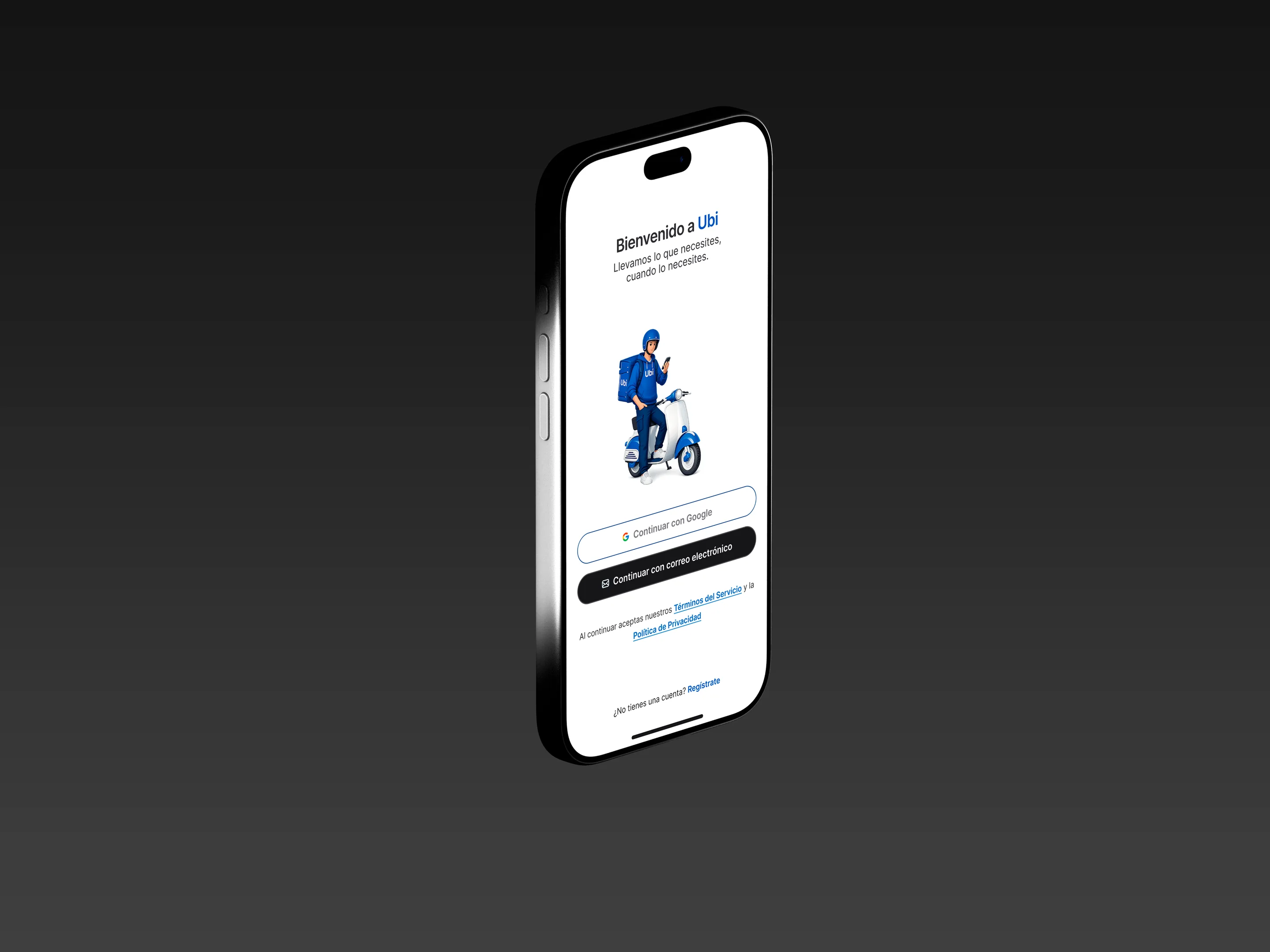
Ubi connects people ordering a delivery in Sincelejo, over WhatsApp, with the couriers who bring it, through their own app. With no budget for live maps or automatic dispatch, I designed simple processes that replace them without users noticing.
01
Ordering a delivery meant texting and hoping
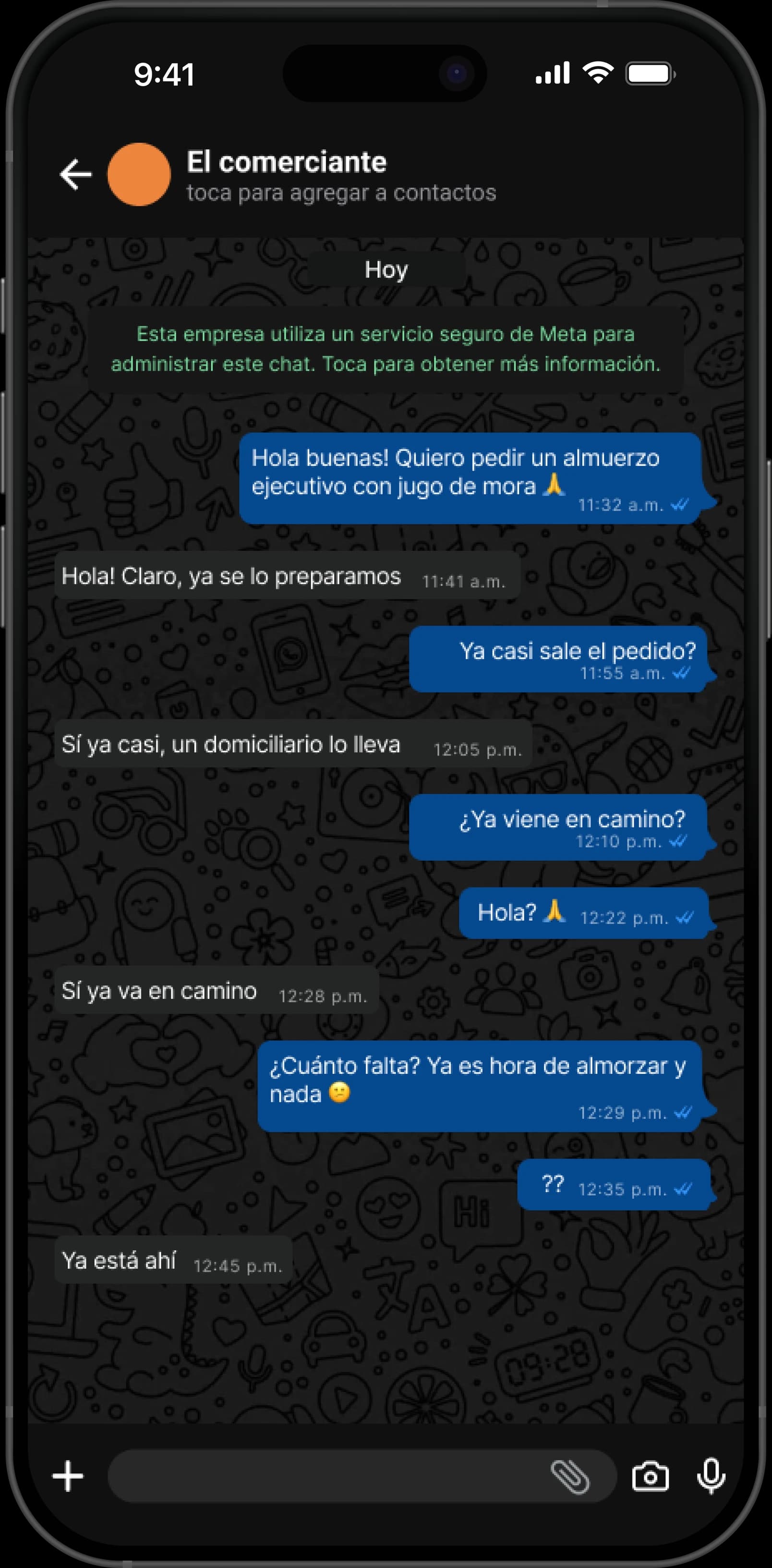
In Sincelejo, ordering a delivery meant messaging the store on WhatsApp and waiting. Nobody knew who would bring the order, how long it would take, or whether the courier was on the way or still waiting at the store.
02
Designing with what we had
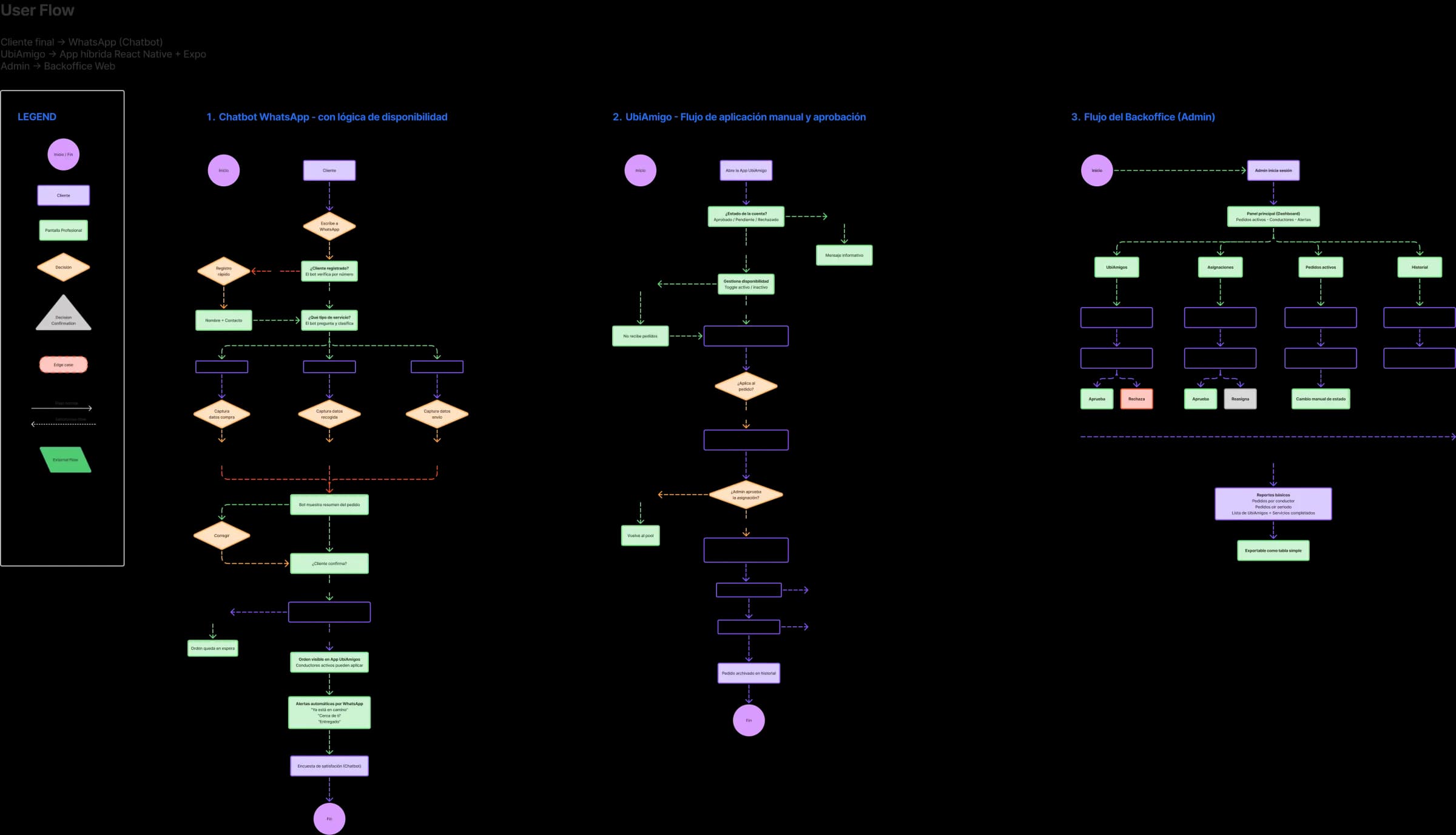
A delivery has to answer three questions: who’s bringing it, where is it going, and where is it now? Big apps answer them with GPS and algorithms. We didn’t have that budget.
03
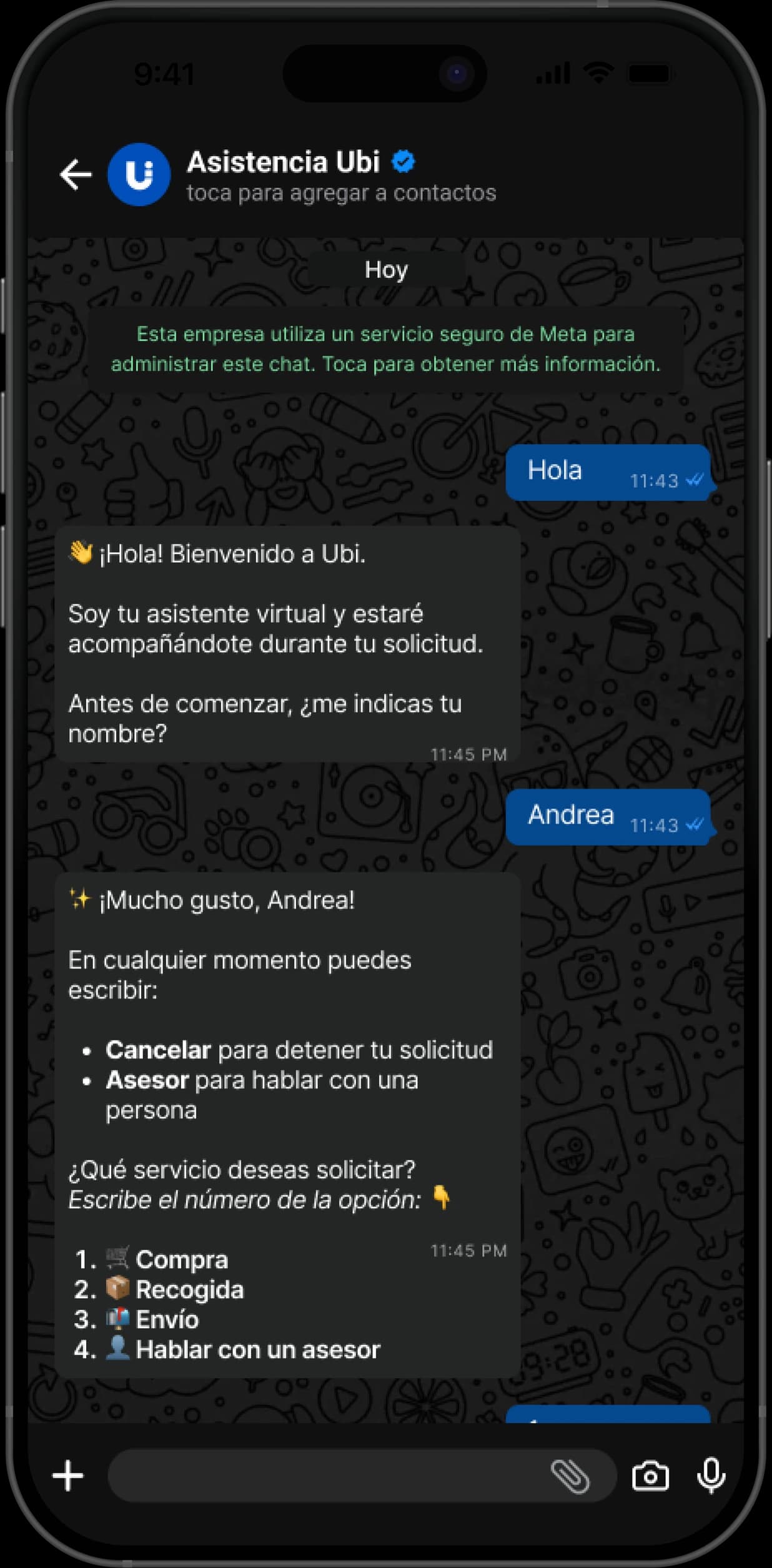
Orders happen in WhatsApp
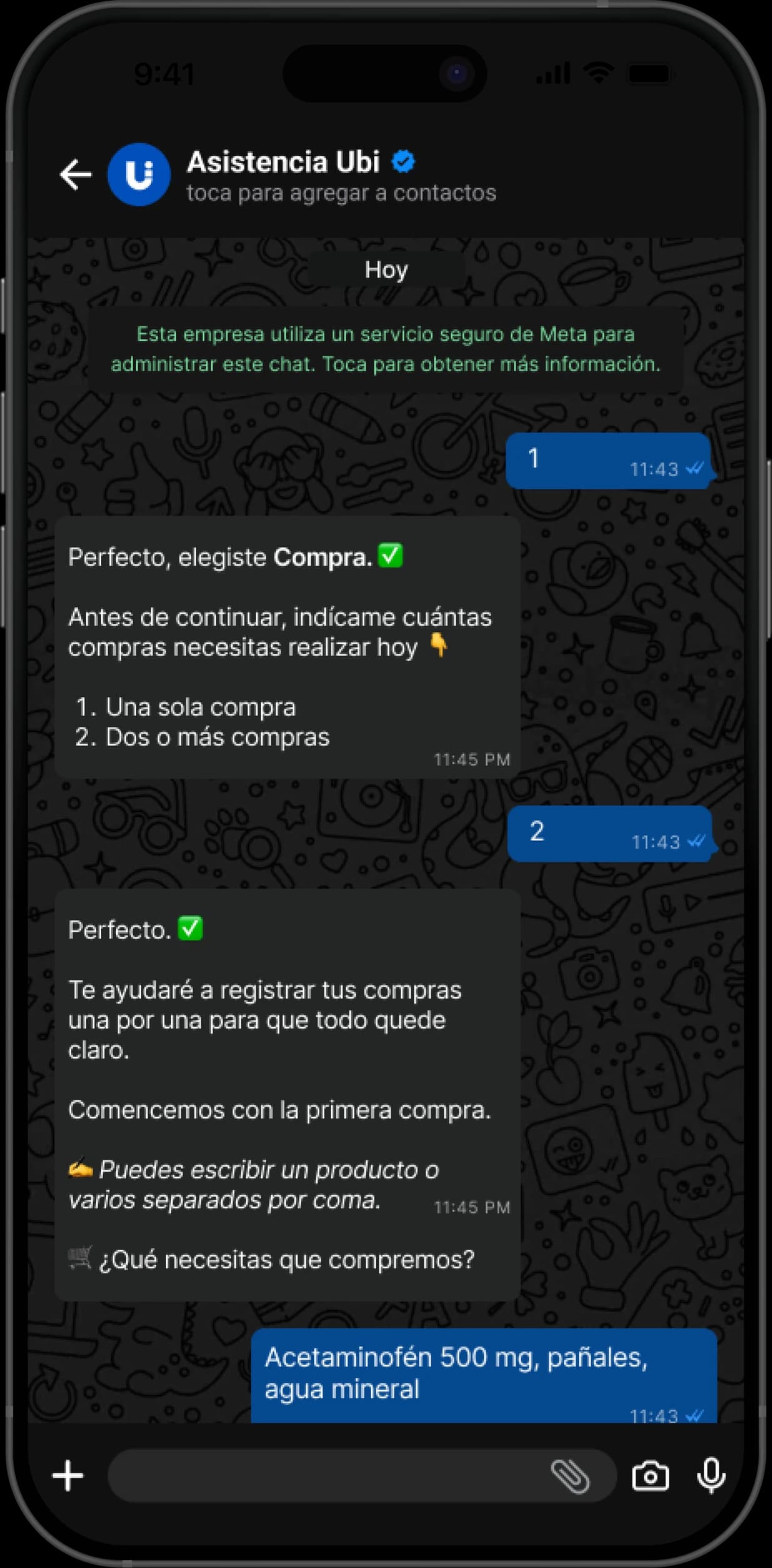
Ubi’s chatbot handles the whole order without leaving WhatsApp: what you need, where to pick it up, where to take it, how you’ll pay, and a chance to fix any detail before confirming. I designed the full conversation and every line of copy so replying is as easy as sending a number or a short word.
04
Four taps, one complete delivery
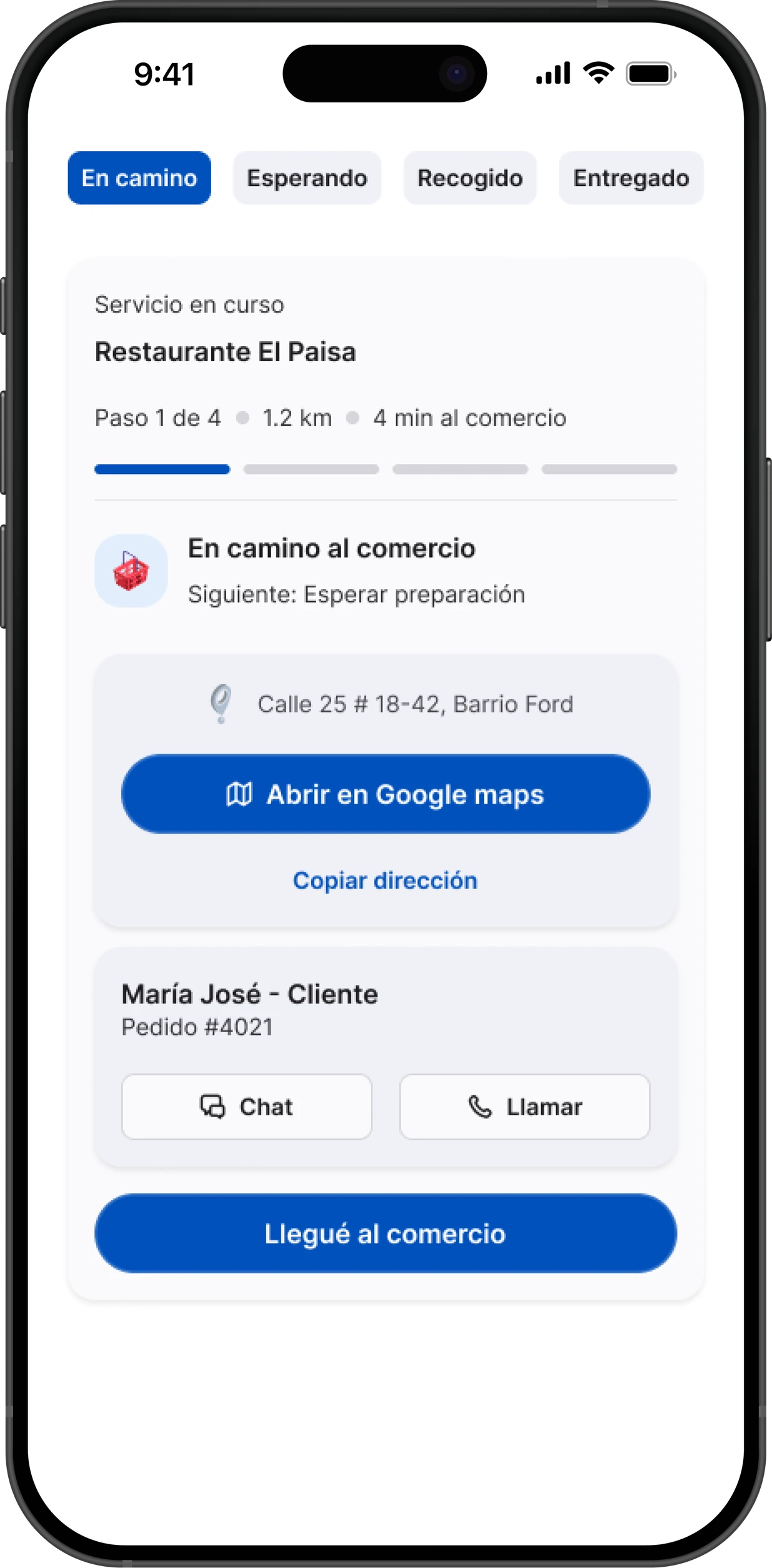
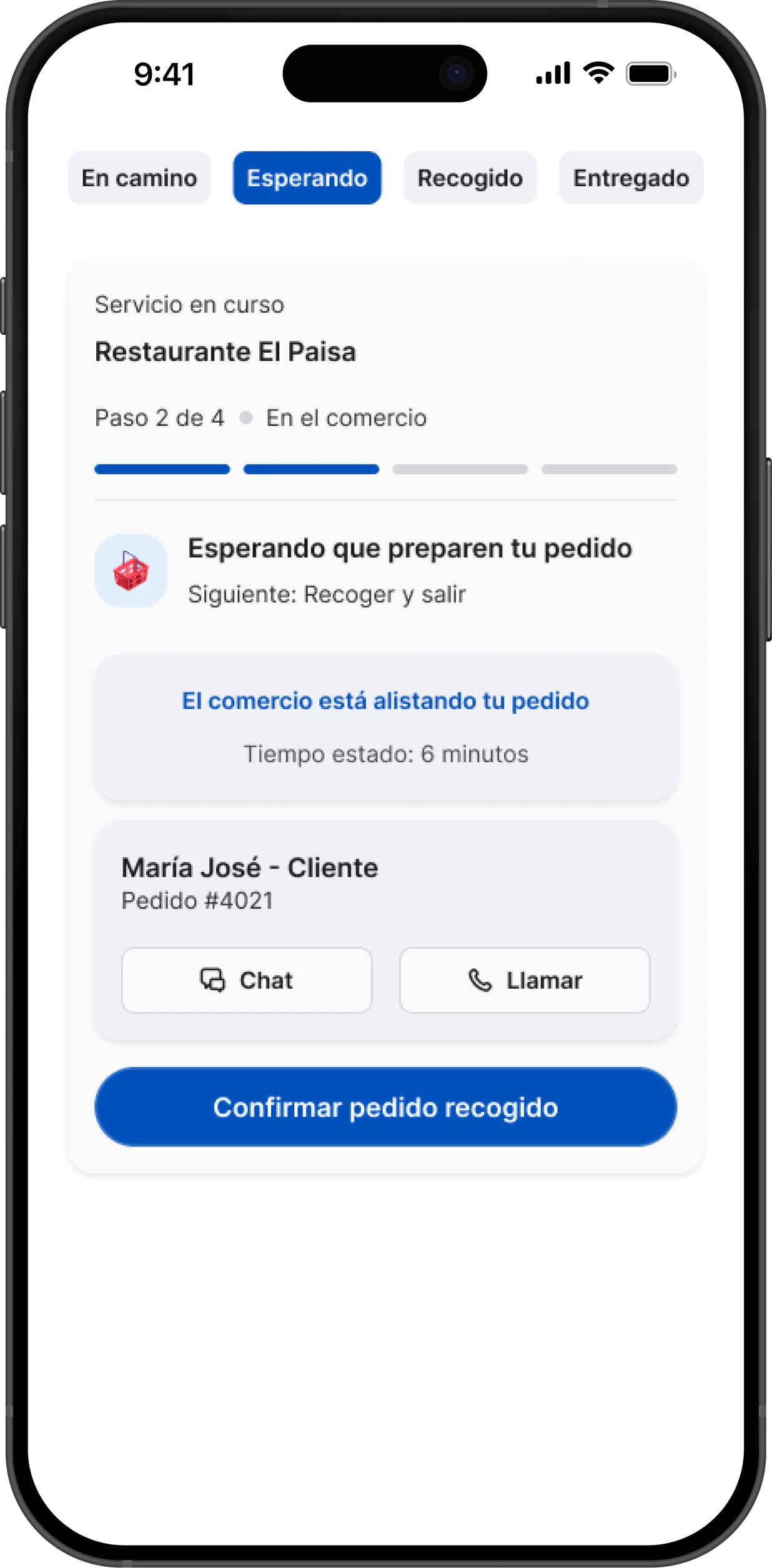
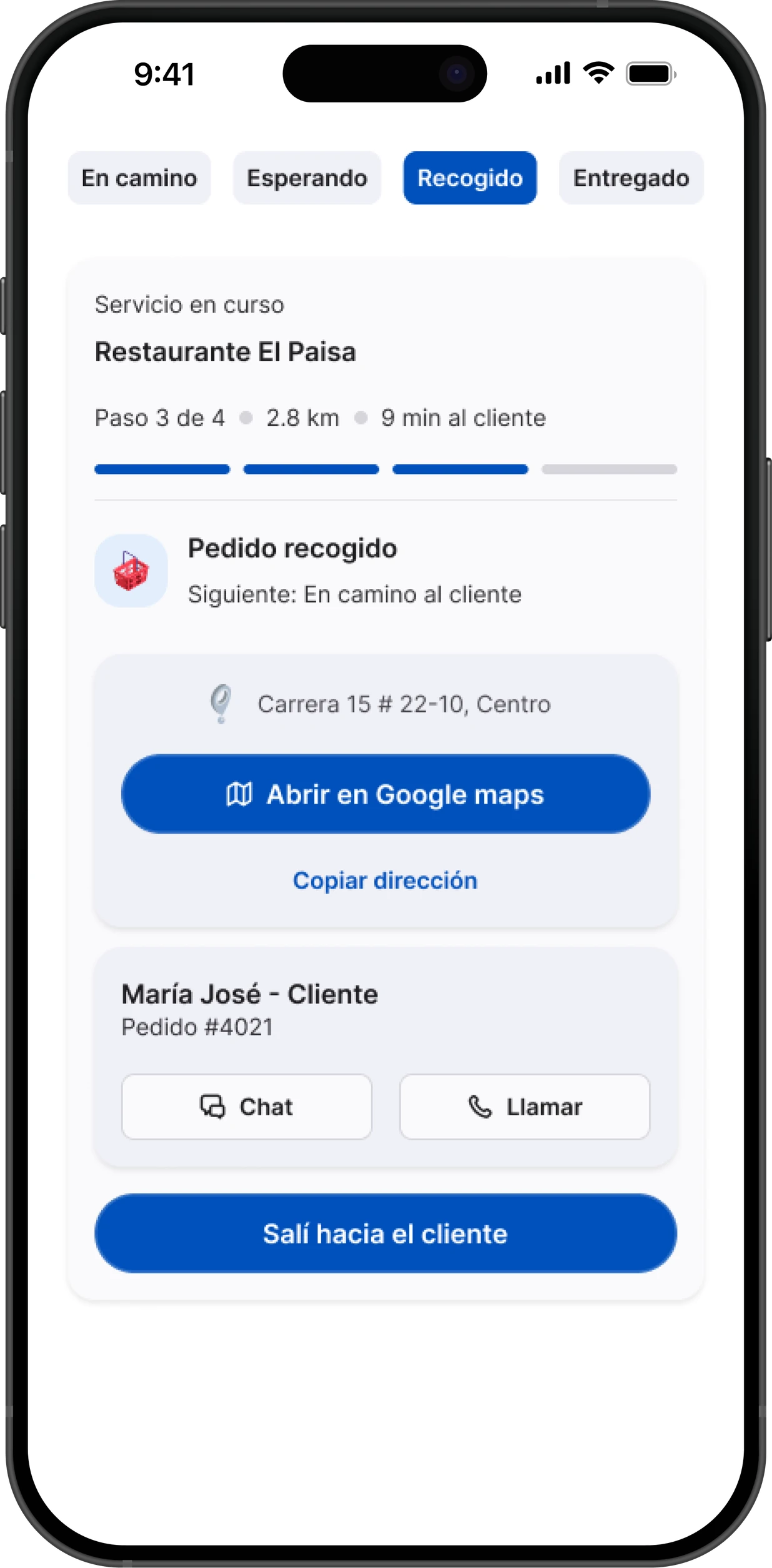
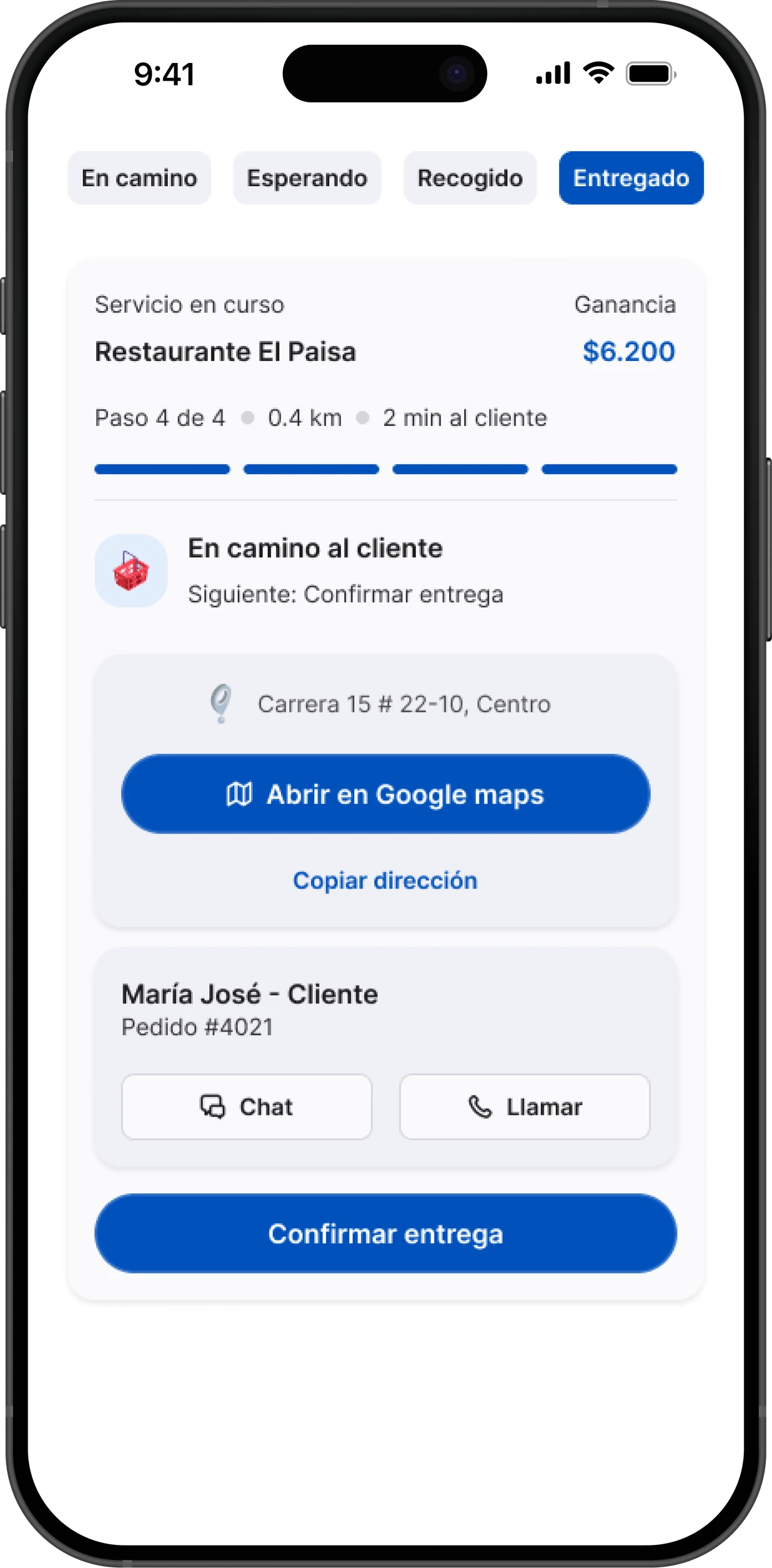
From accepting an order to handing it over, the courier goes through four confirmations: arrived at the store, picked up, heading to the customer, delivered. Each one notifies the customer in real time on WhatsApp, so nobody has to ask "is it on its way?".
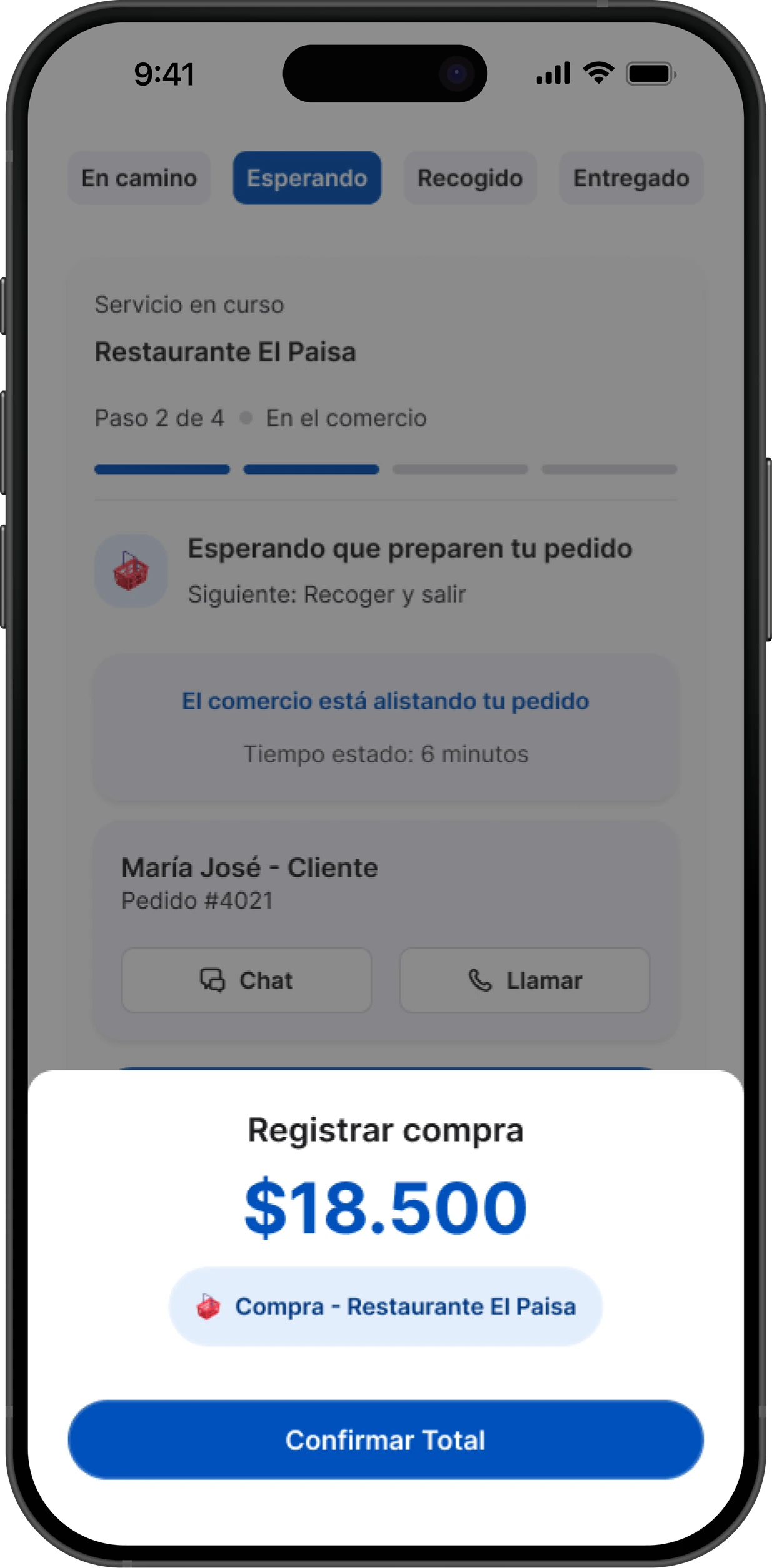
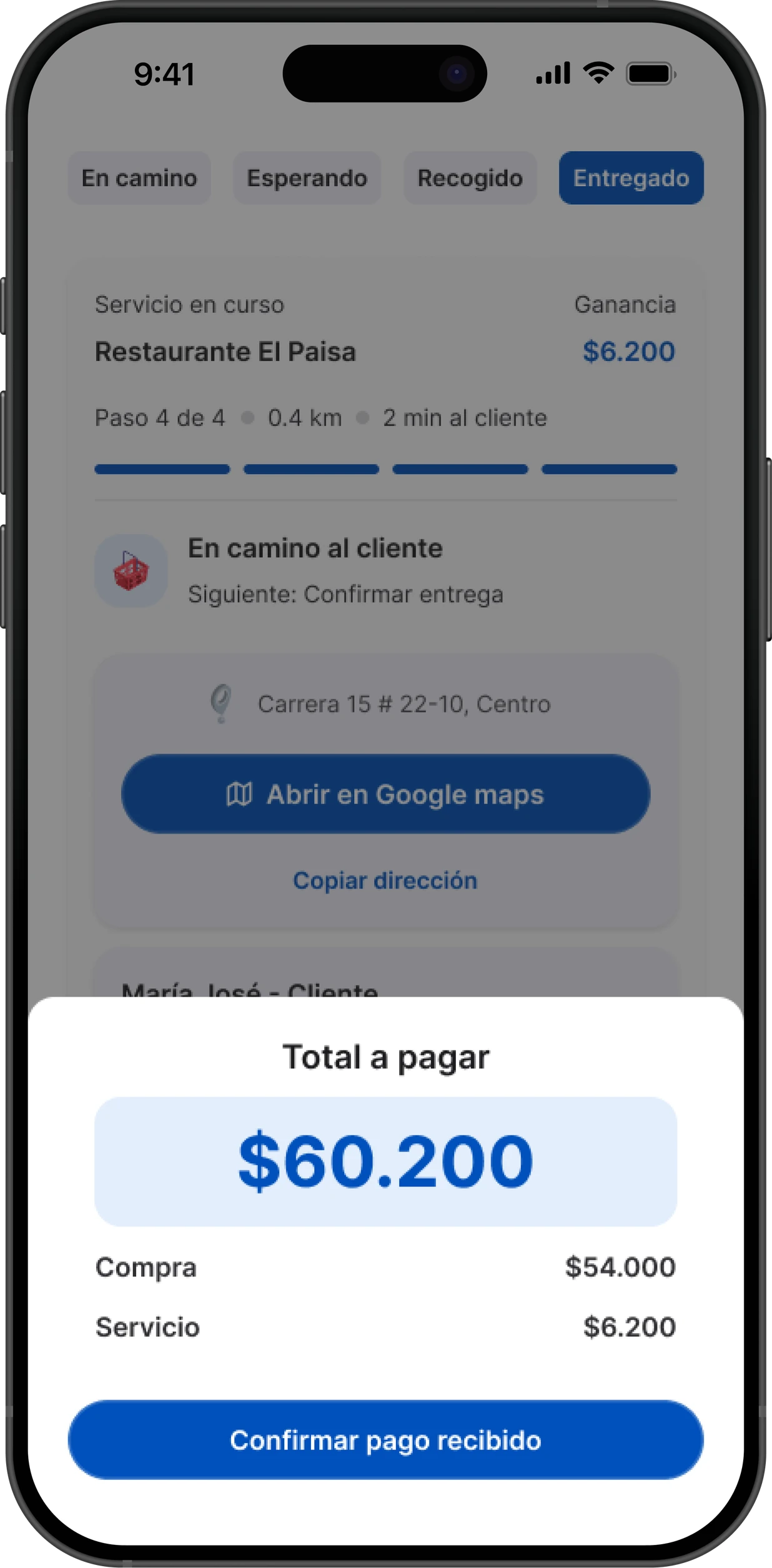
On a purchase, the courier buys on the customer’s behalf and charges them at delivery. So the app adds two steps: logging what the purchase cost and, at delivery, showing the total to collect, purchase plus service fee, before confirming the payment.
05
Three services, one flow
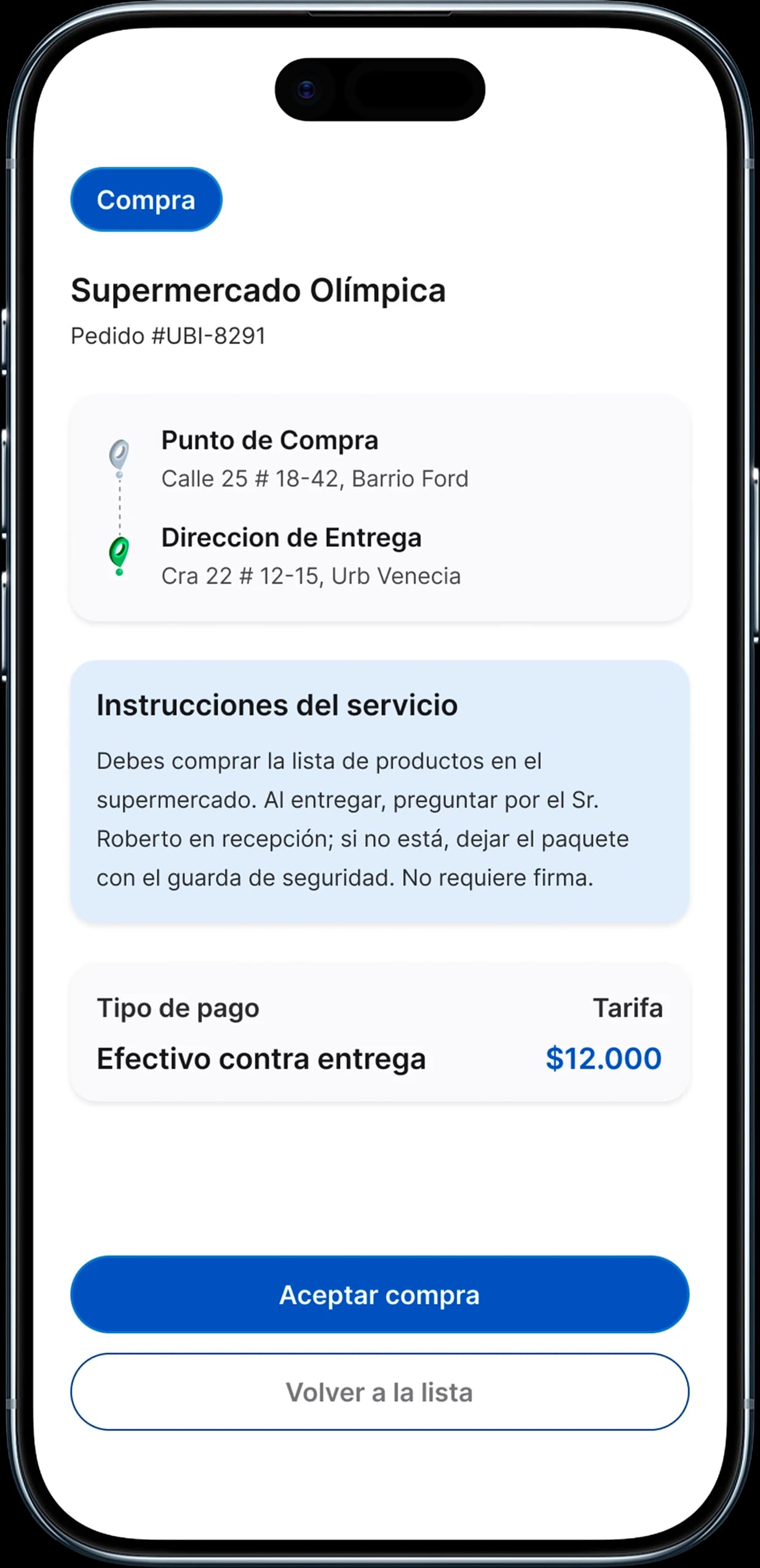
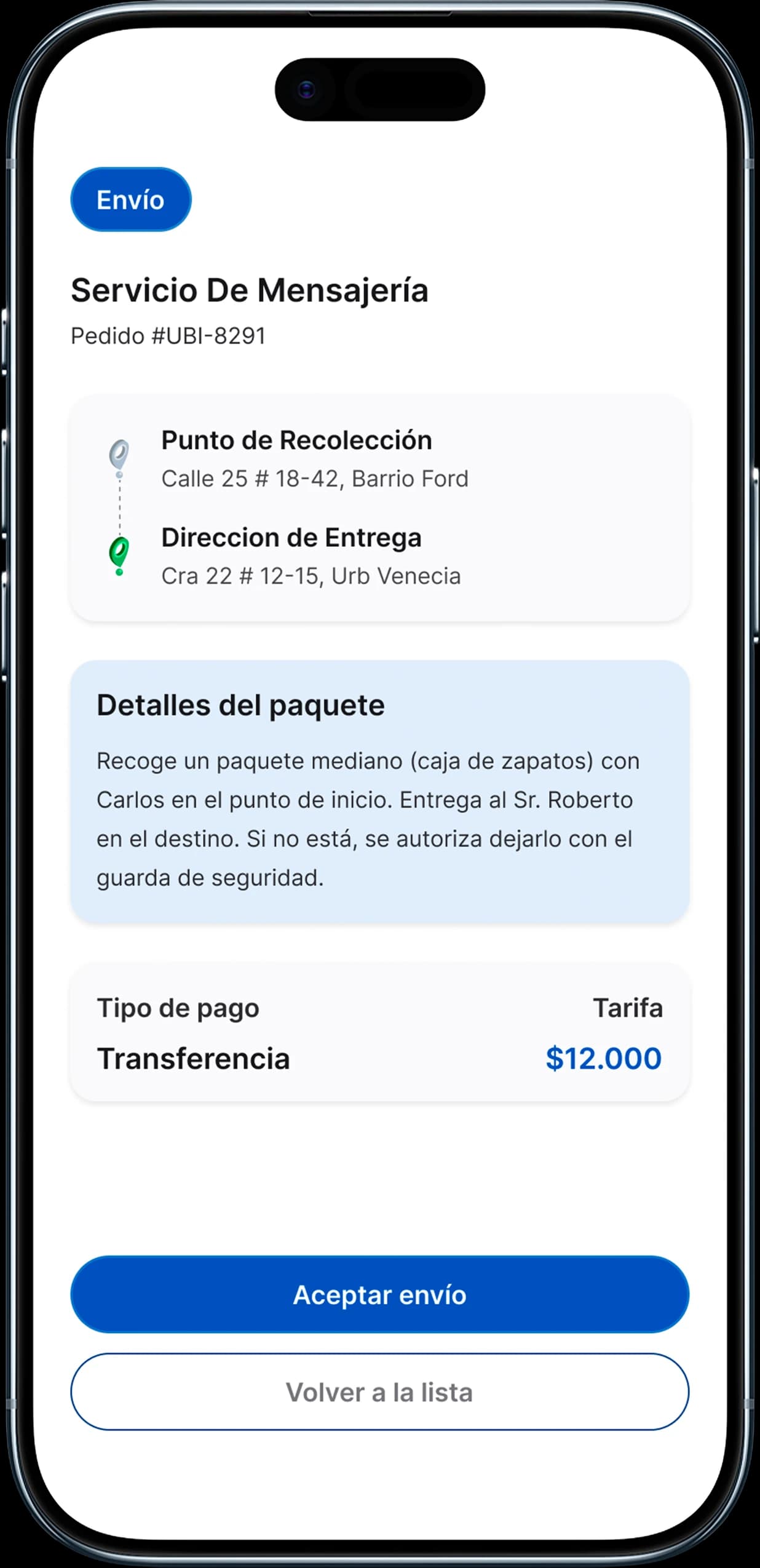
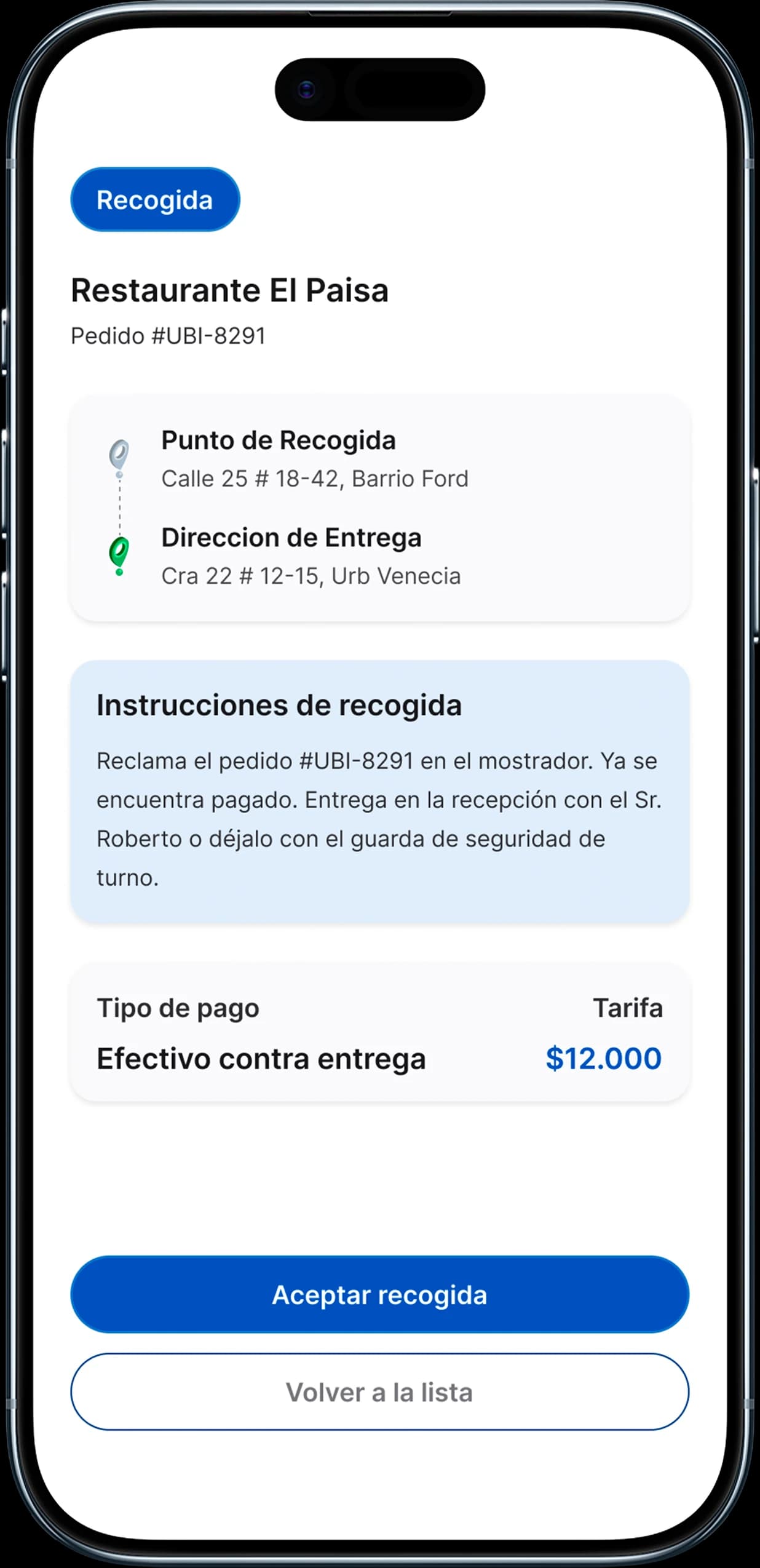
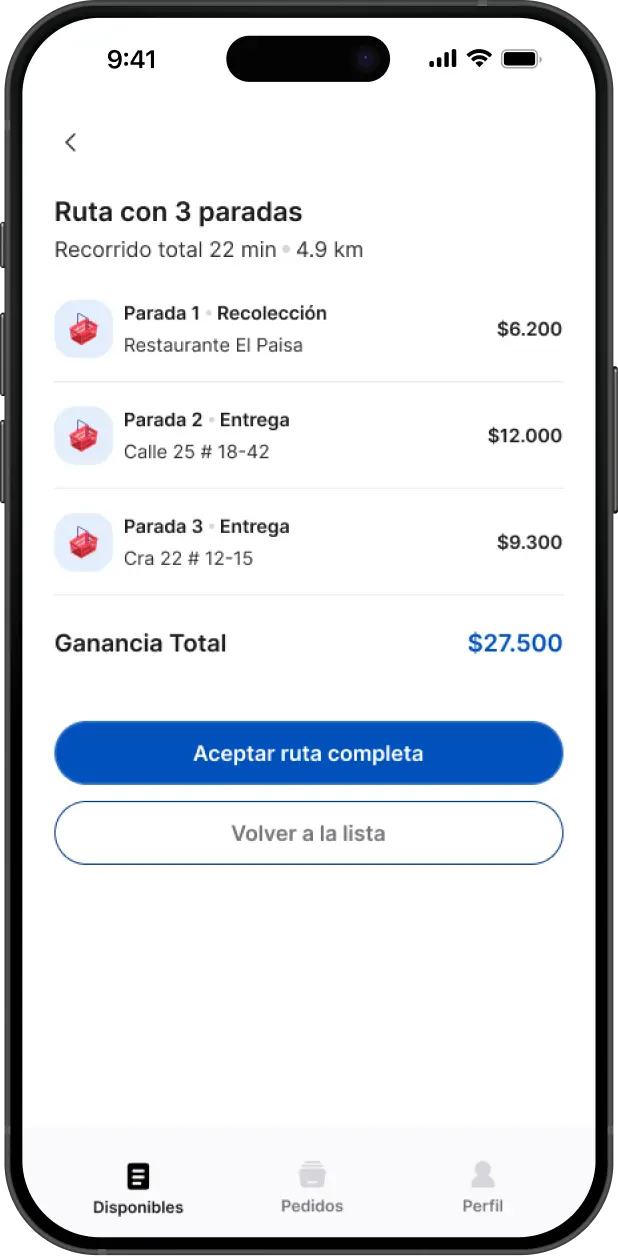
Ubi handles three kinds of orders: purchase (the courier buys for the customer), delivery (carrying a package) and pickup (collecting an order that’s already paid). Each one shows its starting point, destination, its own instructions and how it’s paid, so couriers know exactly what to do before accepting.
06
The app always explains why orders aren’t coming in
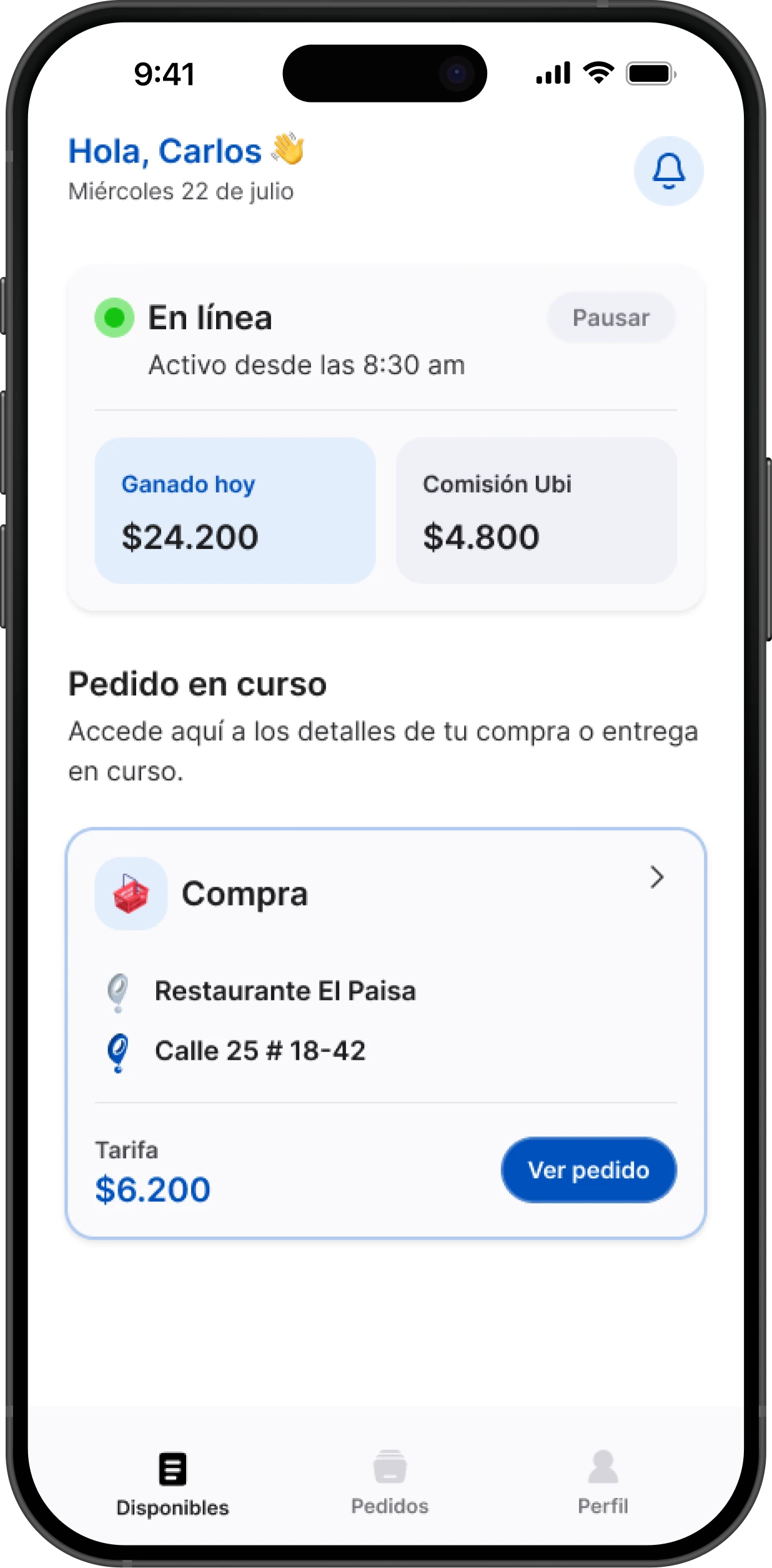
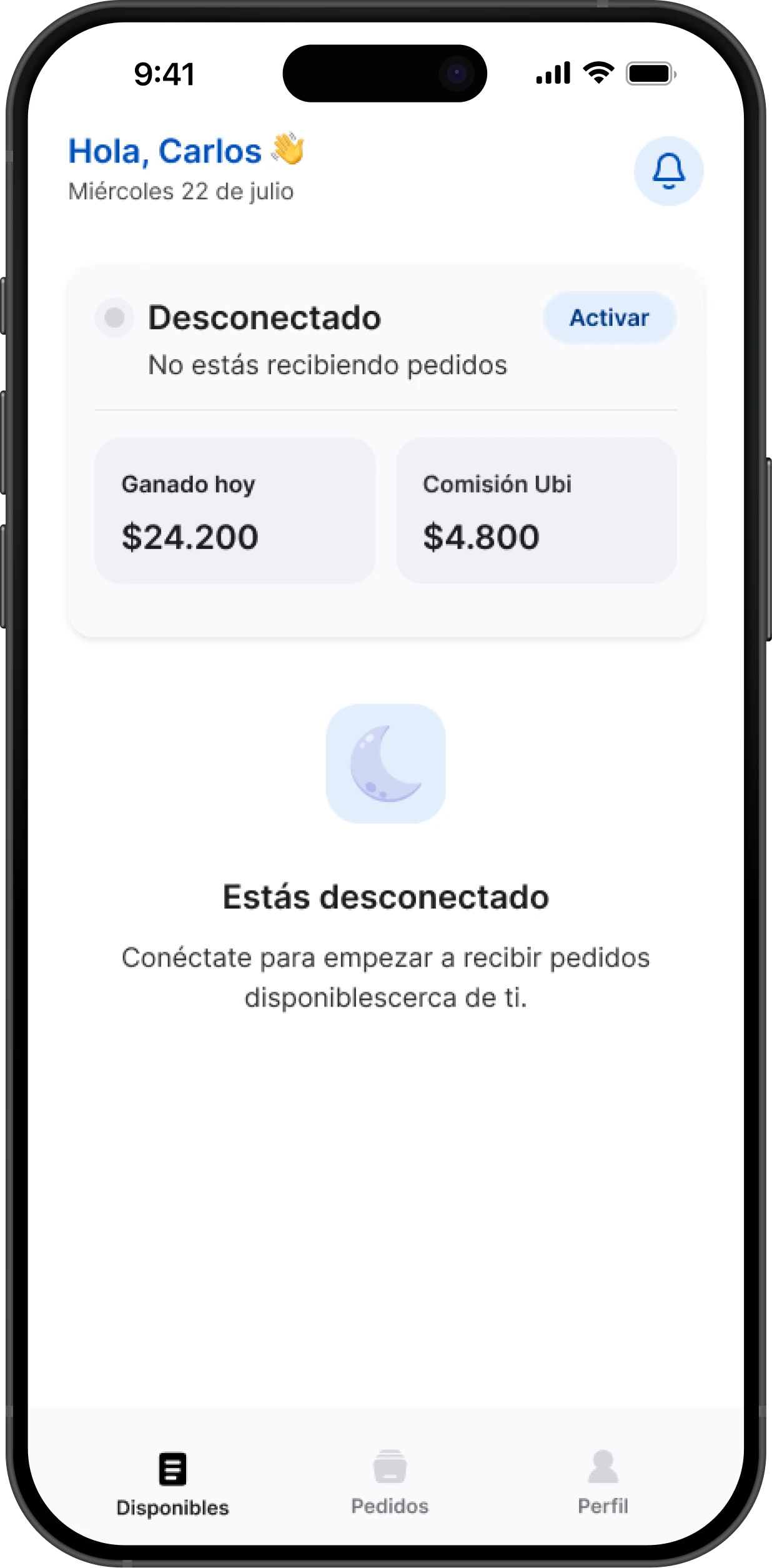
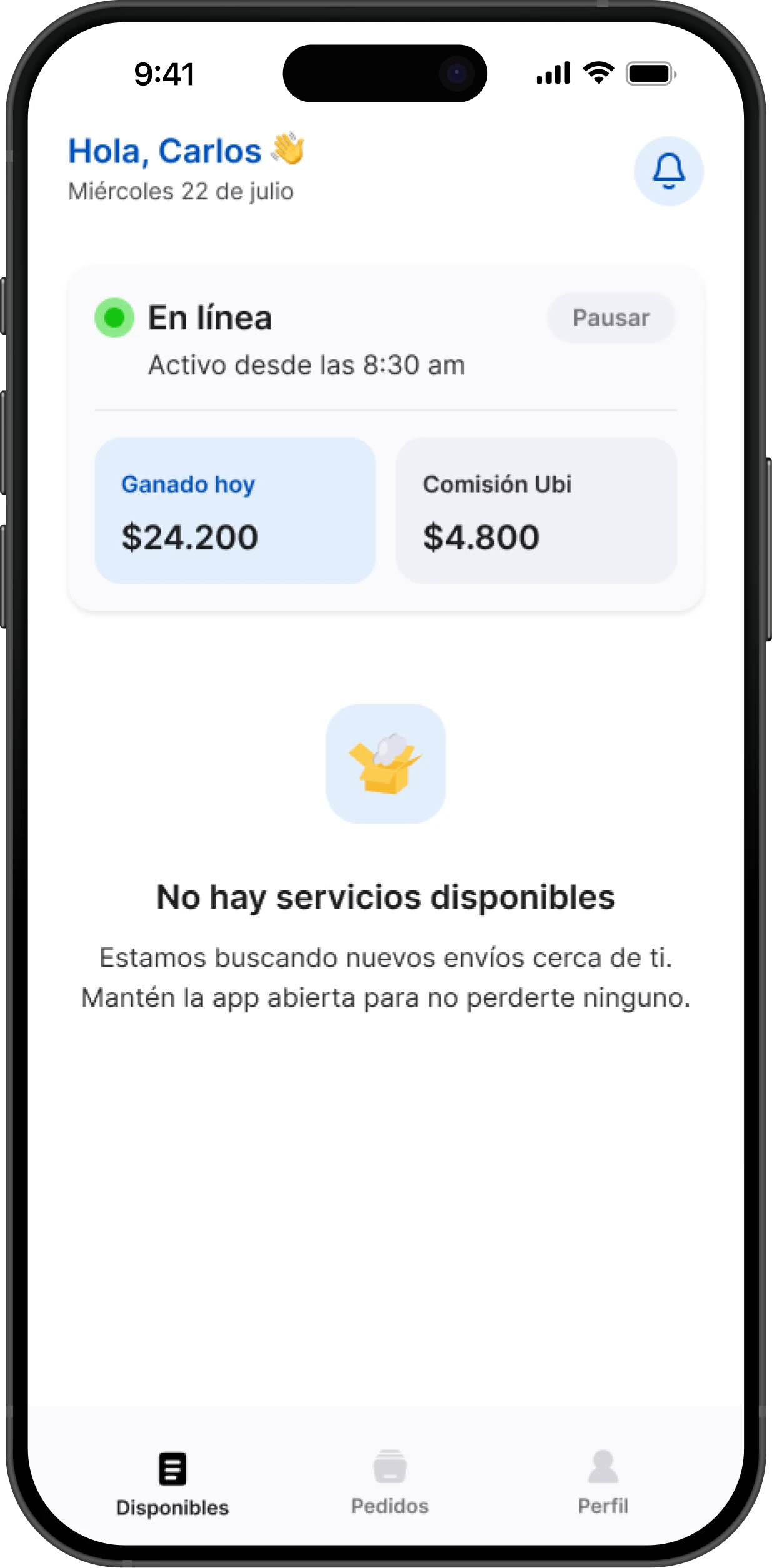
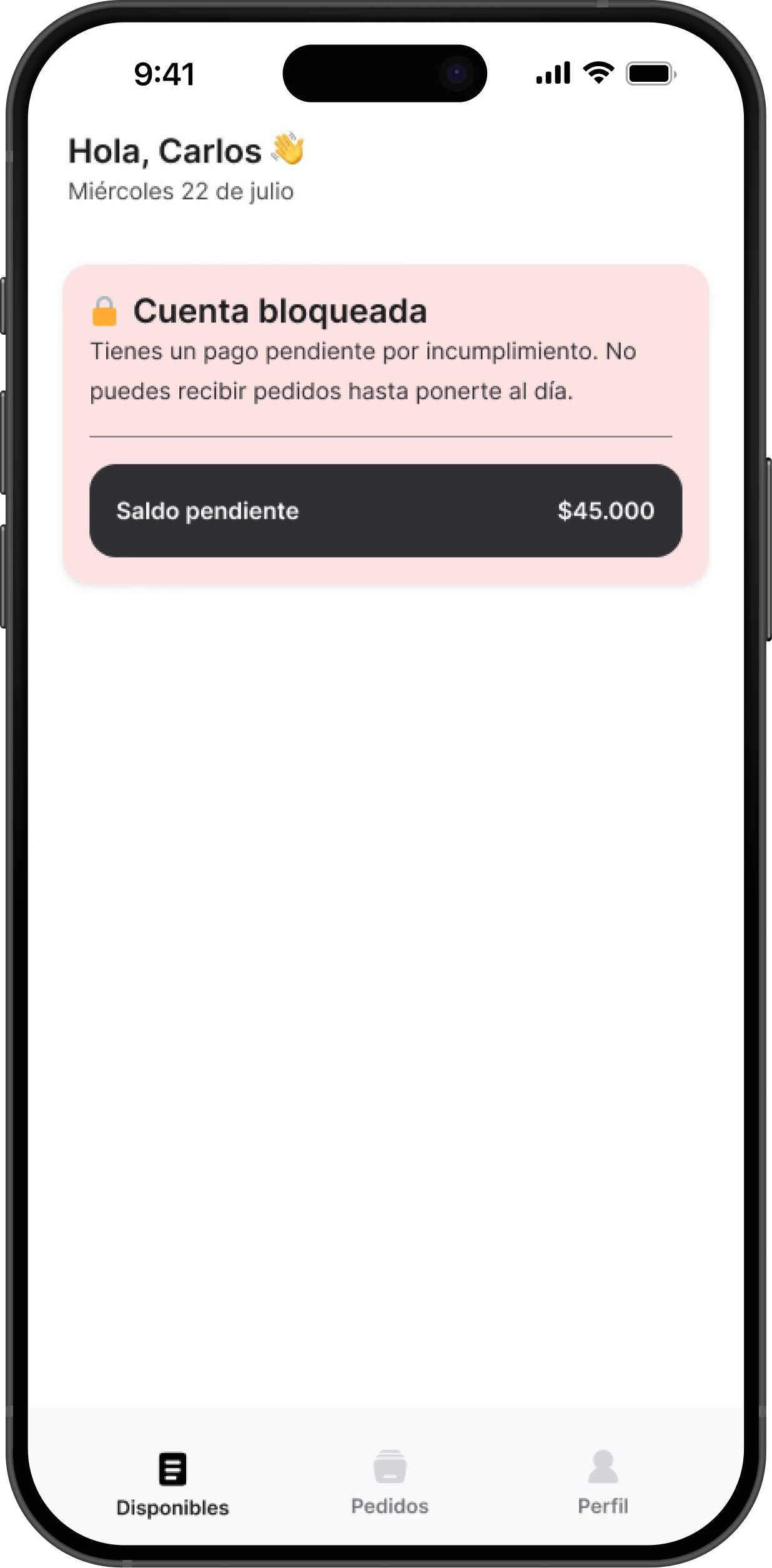
A courier with no orders needs to know whether it’s on them or on demand. Home tells four situations apart: online with an order in progress, offline, no services nearby, and an account locked over a pending payment, with the balance due in plain sight.
07
Key decisions
| Decision | What we did | Why |
|---|---|---|
| Dispatch without knowing who’s closest | Every online courier sees the order; whoever accepts first takes it | Simple and fair, with no geolocation needed |
| Tracking without a map | The courier marks each step with a button and the customer gets notified | There’s no GPS following the route |
| One order, one chat | The whole order happens inside WhatsApp, no extra app to download | In Sincelejo, WhatsApp is already where people shop |
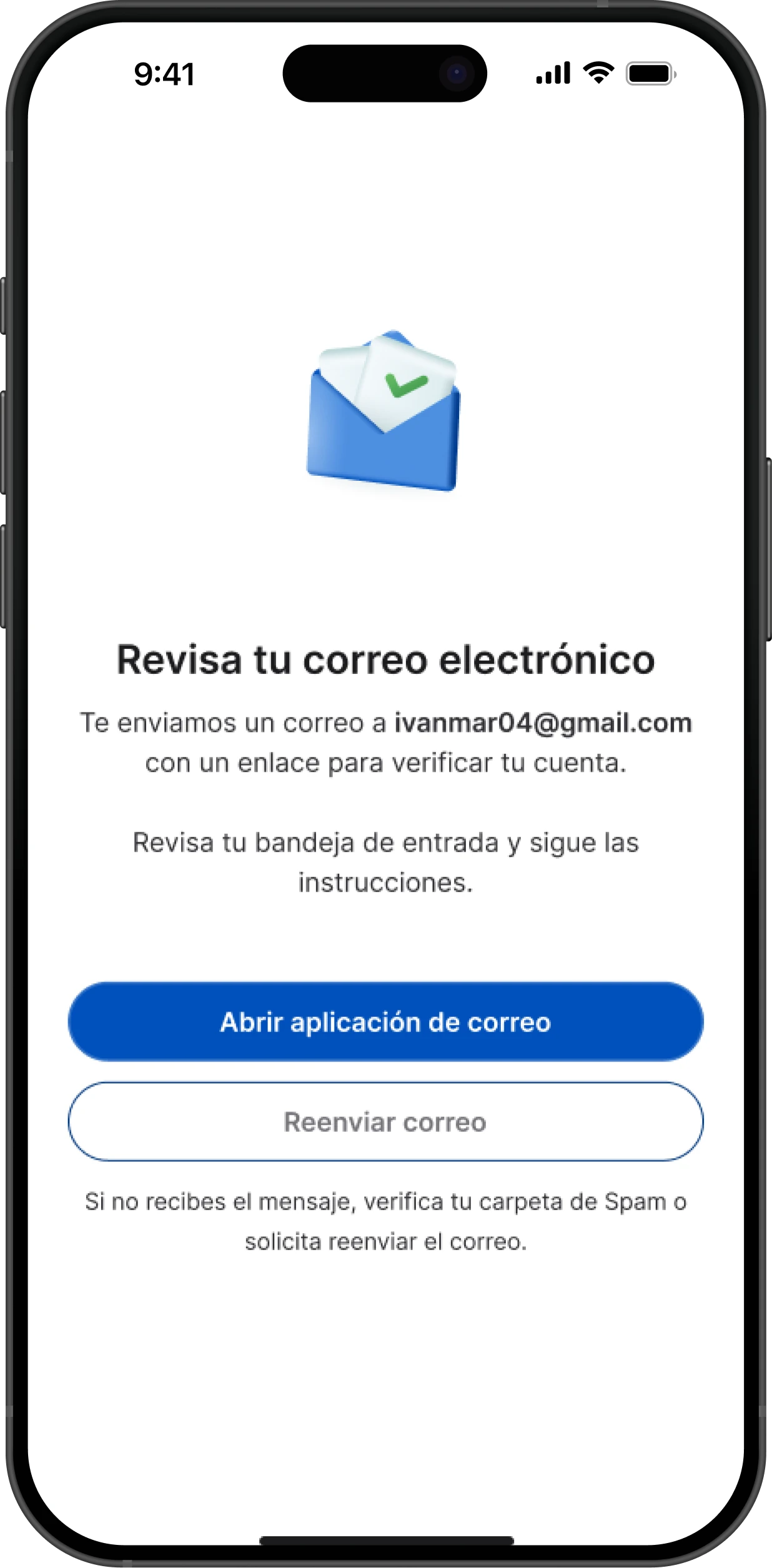
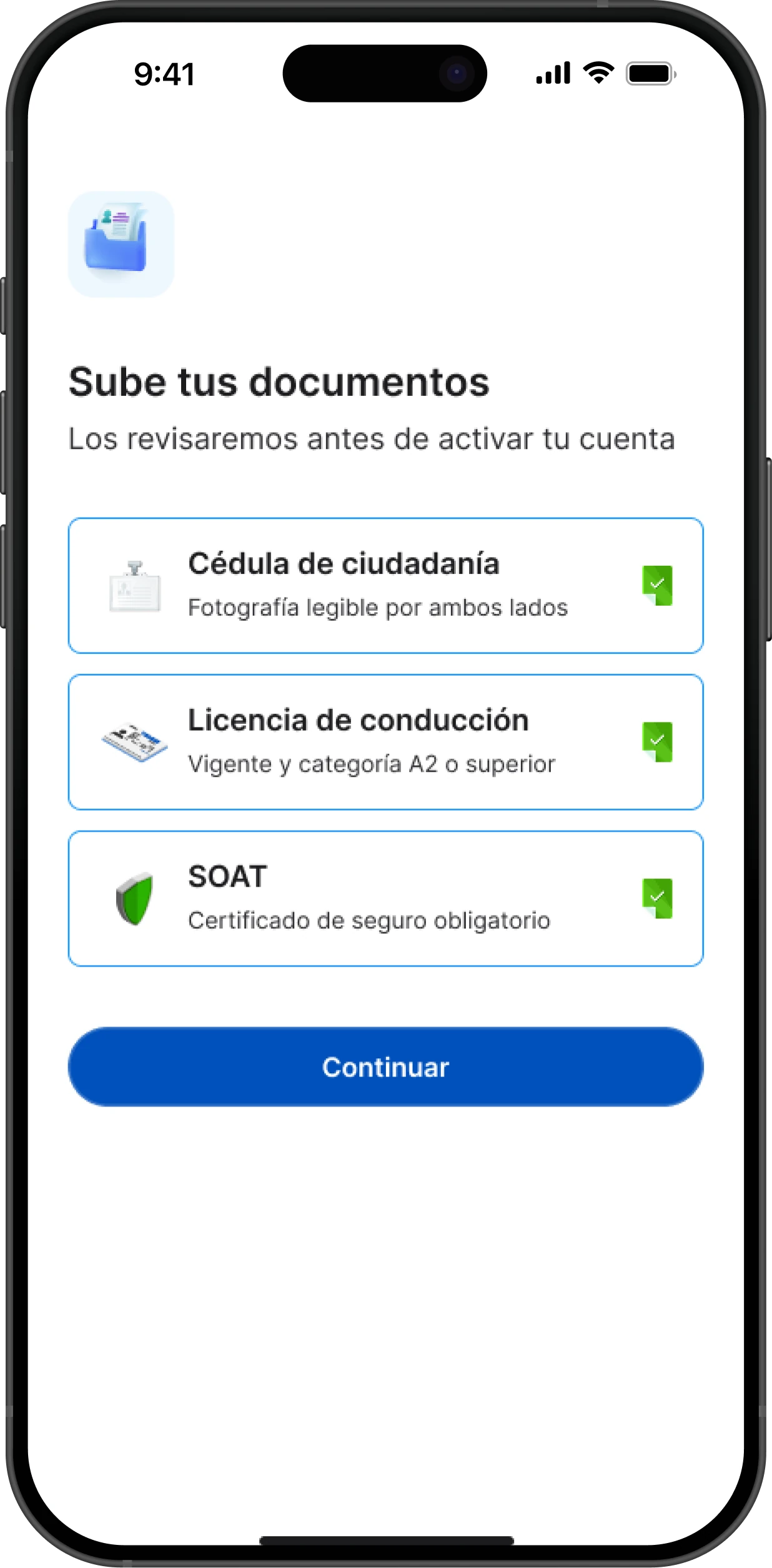
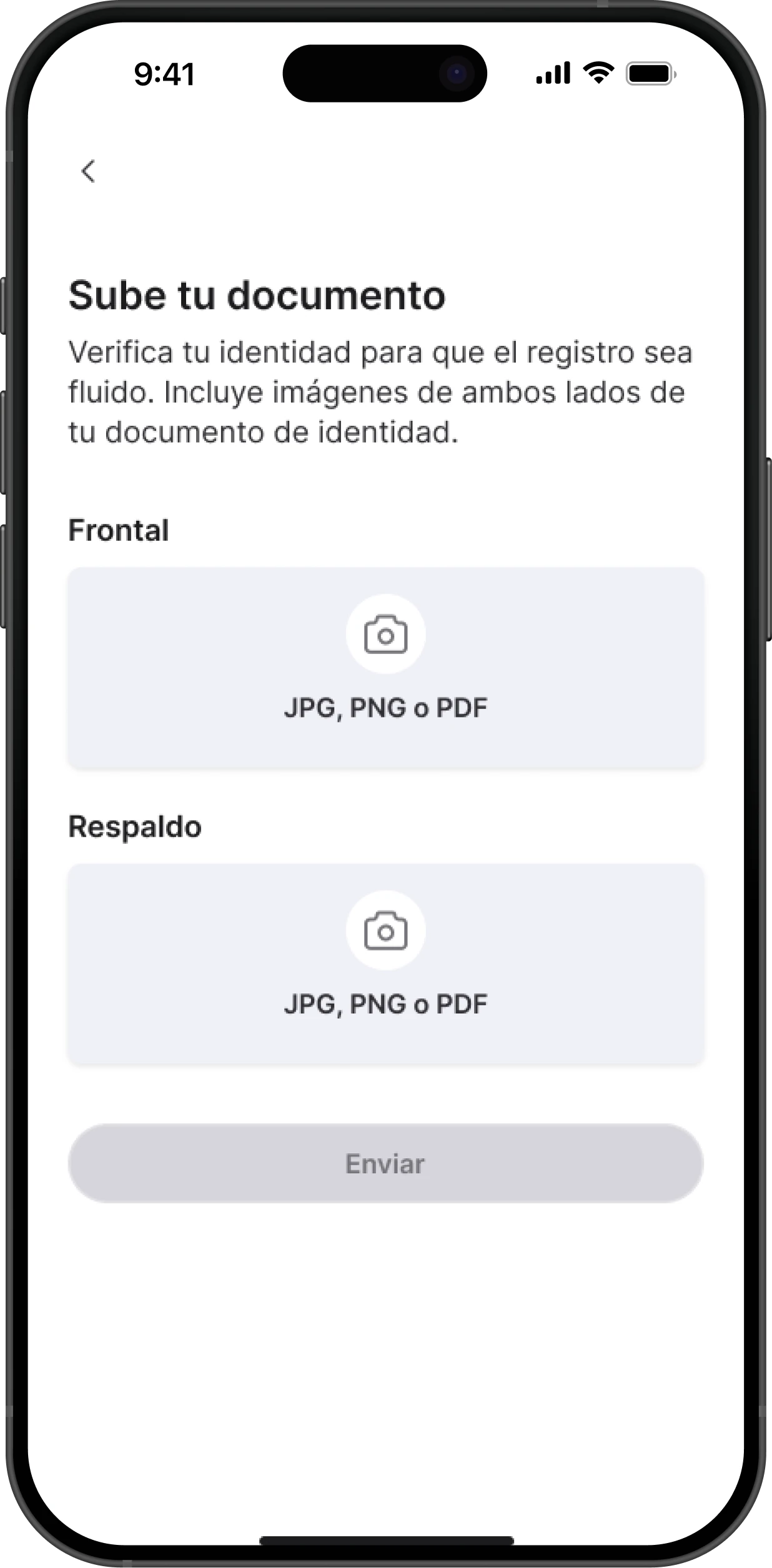
| Trust before speed | ID, driver’s license and mandatory insurance are reviewed by hand before activating a courier | Without automated verification, that manual check holds up trust in the service |
08
Outcome
Ubi is live, for now only for the UbiAmigos: the people who make the deliveries. What was designed:
- Courier app for iOS and Android
- WhatsApp ordering chatbot
- Order tracking with no GPS or maps
- Document verification
- Admin back office
Once the service opens to customers, I’d measure success with three signals:
- Time from placing an order to a courier accepting it.
- Orders completed without the customer having to ask for an update.
- Weekly active couriers, and how many are still active after their first month.
09
What I’d do differently
I’d validate the chatbot flow with real stores before designing the courier app. The chat is the entry point for every order: if something gets stuck there, no later screen can make up for it.